Two Surprising Tricks for Creating a PDF from a React component
Eden Cohen, Tue Nov 10 2020, 5 min
On The modern web, users have high standards when it comes to data visualization. Everyone wants their online data reports to look simple, clear, and stylish.
But how can we provide the same level of experience when exporting reports for offline use?
Many web applications that provide reports offer a raw CSV file or a clunky email, but is it possible to leverage the latest tech solutions to export impressive UI components into PDFs/images?
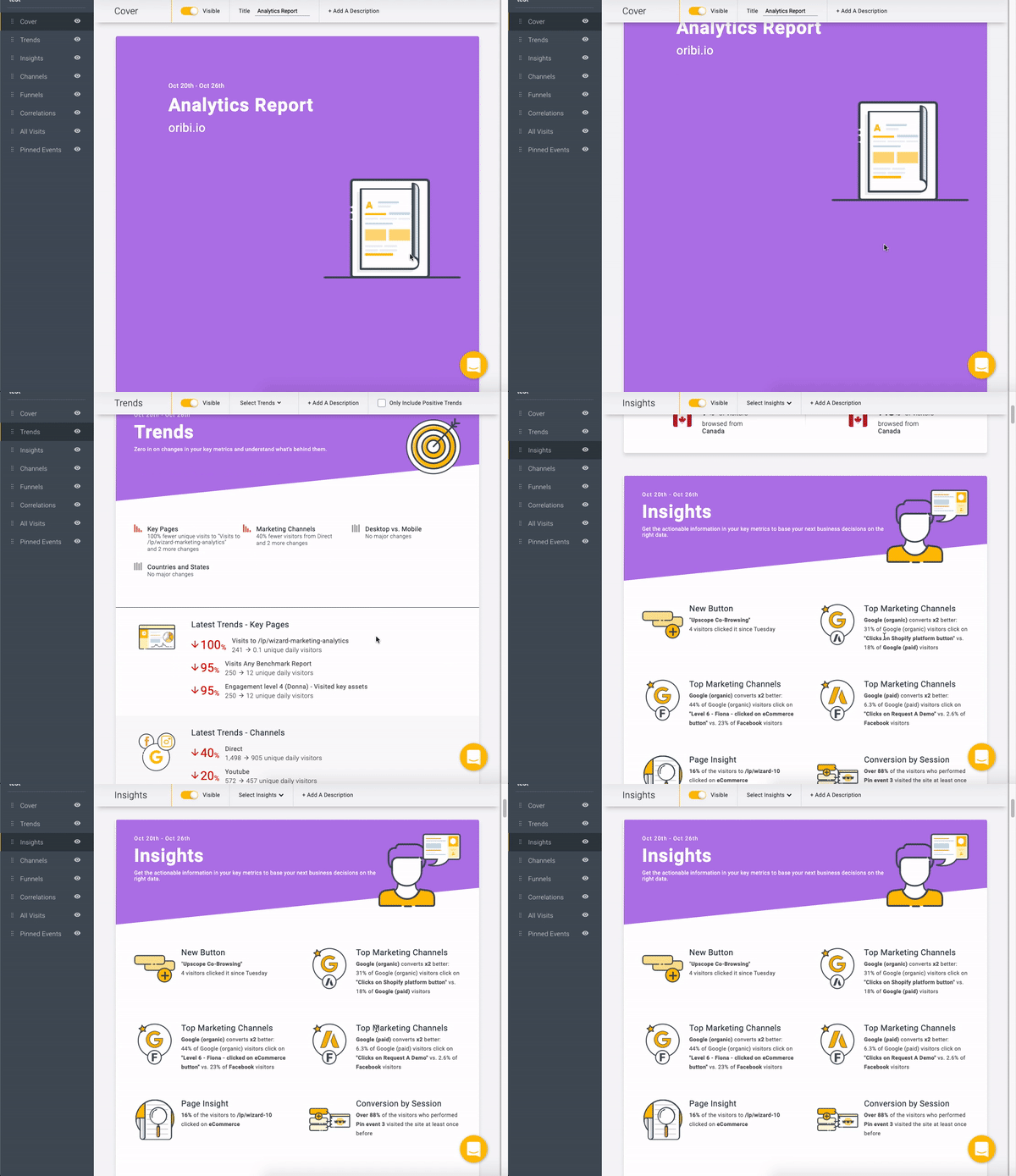
This post will share our journey of implementing a “state-of-the-art” web reports feature using technologies like React, Webpack, and Puppeteer.
Why client-side solutions weren’t enough
With the goal of making some quick progress on our POC, we started by searching for lowhanging fruit on the client side:
Browser print API: We tried used the global
window.print() function to open the default browser printing prompt, which provides a “print to pdf” option. It is also possible to customize the print view by adding specific CSS that applies only to printing (using the "print" media query and print-related CSS properties). This API is an excellent and simple method for printing the current page, but it doesn’t provide a clean way to export a specific UI piece. Besides, there are many cross-browser incompatibility issues with respect to printing, so we decided to try another solution.Third-party JS libs: Client-side based solutions such as html2Canvas or rasteriseHtml, help you create a representation of your page/element in a canvas, and one can use that to generate an image. Unfortunately, there are many limitations to these solutions:
- Not all HTML/CSS properties are supported.
- All content must be provided from the same origin due to security issues (so you’ll have to proxy all of your third-party assets!)
- Performance wise, these are heavy tasks to run in the browser when the UI gets complex.
Taking the implementation to the server
To provide a more robust implementation, we decided to focus on a server-side solution, which had fewer technical limitations.
Goals:
- Flexible PDF creation flow: We wanted to be able to create a PDF from any program flow, such as a download click in the browser or an offline scheduled task that triggers an email with a PDF attachment.
- Use the same React component for the web view and the PDF export: We didn’t want to maintain separate UI logic for the web and PDF outputs. This allowed us to provide a consistent experience in both modes and helped to minimize the effort of creating new components (we just had to make sure they played nice on the server).
Our solution:
- Use React SSR (server-side rendering) to generate static HTML for React components: While you would usually use SSR for performance/SEO optimization or tests, here we used it to generate a static web asset on the server.
- Use Puppeteer to generate a PDF from the HTML: Puppeteer is a Node.js library that provides a high-level API to control Chrome or Chromium using the DevTools Protocol. Puppeteer also provides an API to generate screenshots and PDFs of pages.
Step A - Render your (React) component on the server
// ./ssr/src/index.js
import React from 'react';
import ReactDOMServer from 'react-dom/server';
import MyFancyReport from './components/MyFancyReport';
export function renderStaticReport(reportProps) {
  const reportMarkup = ReactDOMServer.renderToStaticMarkup(
    <MyFancyReport {...reportProps} />
  );
  return `
     <!doctype html>
     <html lang="en">
       <head>
         <meta charset="utf-8">
       </head>
       <body>
         ${reportMarkup}
       </body>
     </html>
  `;
}
The
ReactDomServer.renderToString() function returns an HTML string for the initial state of the component. In this example, we used ReactDomServer.renderToStaticMarkup(), which also strips out all of the extra DOM attributes that are used internally by React.Some tips to make sure your React components play nicely on the server:
- Use the Web API carefully: It includes interaction with global browser objects like
Document,Window,Navigator, andLocalStorage. These are not part of the Node.js runtime, and you will either have to check if they are defined and handle logic accordingly, or add a new entry point for your SSR bundle to polyfill them. - Use React lifecycle hooks carefully -
ReactDomServer.renderToStaticMarkup()is a synchronous single-pass render function, which means that some hooks won’t apply, includinguseEffectanduseState, same for lifecycle methods likecomponentDidMountandcomponentDidUpdate. It is possible, however, to use the component constructor and thecomponentWillMountmethod.
Step B - Webpack config
The next step is necessary to run the SSR operation on our standard Node.js server.
We’ll start by creating a new Webpack config:
// ./webpack.config.js
const path = require('path');
const webpack = require('webpack');
// existing config
const clientWebpackConfig = {
  ...
};
// new SSR config
const ssrWebpackConfig = {
  ...clientWebpackConfig,
  entry: './ssr/src/index.js',
  target: 'node',
  output: {
    path: path.resolve(__dirname, 'ssr/lib'),
    filename: 'ssrService.js',
    libraryTarget: 'commonjs2',
  },
};
module.exports = [clientWebpackConfig, ssrWebpackConfig];
We’ll use the standard front-end configuration as a baseline for the server-side rendering. In the code example, we override some of the config, so that it’s possible to run it from the server, update the entry point according to your SSR implementation, and ensure you use the commonJS target, a standard used in Node.js for working with modules.
Tip: You might need to tweak your loaders config to make sure it works on the server. You can use loaders like isomorphic-style-loader.
Step C - Extend our server’s functionality to create a PDF
Start by Installing the Puppeteer npm module:
npm install puppeteer// ./services/pdfService.js
const puppeteer = require('puppeteer');
const ssrService = require('../ssr/lib/ssrService.js');
const MY_PDF_PORTION = {
width: 1766,
height: 1000,
};
module.exports.generatePdfFromHtml = async (htmlStr) => {
const browser = await puppeteer.launch();
const page = await browser.newPage();
await page.setViewport(MY_PDF_PORTION);
await page.setContent(htmlStr, { waitUntil: 'networkidle0' });
const pdfBuffer = await page.pdf({ printBackground: true });
await browser.close();
return pdfBuffer;
};In the sample code above, we’re launching a browser page using Puppeteer and setting its content to the HTML string we populated in a previous step. From this point on, it’s easy to use the Puppeteer API to create a PDF buffer.
Note that we used
networkidle0 to make sure that dynamic resources will be available when the PDF is being generated. Also, keep in mind that there are many options for customizing the PDF.Summary
Both React and Puppeteer are powerful frameworks. Using them in such a way, we minimized the overhead in maintaining an export functionality, and the quality of the report that we achieved was great! CHECK IT OUT!
Happy Coding/Printing!